
The question to ask before turning on an AI note-taking tool is not “Does my school allow AI?” It is narrower and more useful: “Which rule can still block this tool in this room, for this class, today?”
For students using AI note-taking, school rules usually arrive as a stack, not a single policy. A recording app may be legal under state consent law and still violate a syllabus. A transcript may be kept privately and never become a FERPA education record, but the same transcript may create FERPA problems if it contains identifiable student information and moves into a third-party system. A tool may be approved by a disability office and still require the student to follow a professor’s limits on recording, sharing, or AI-generated summaries.
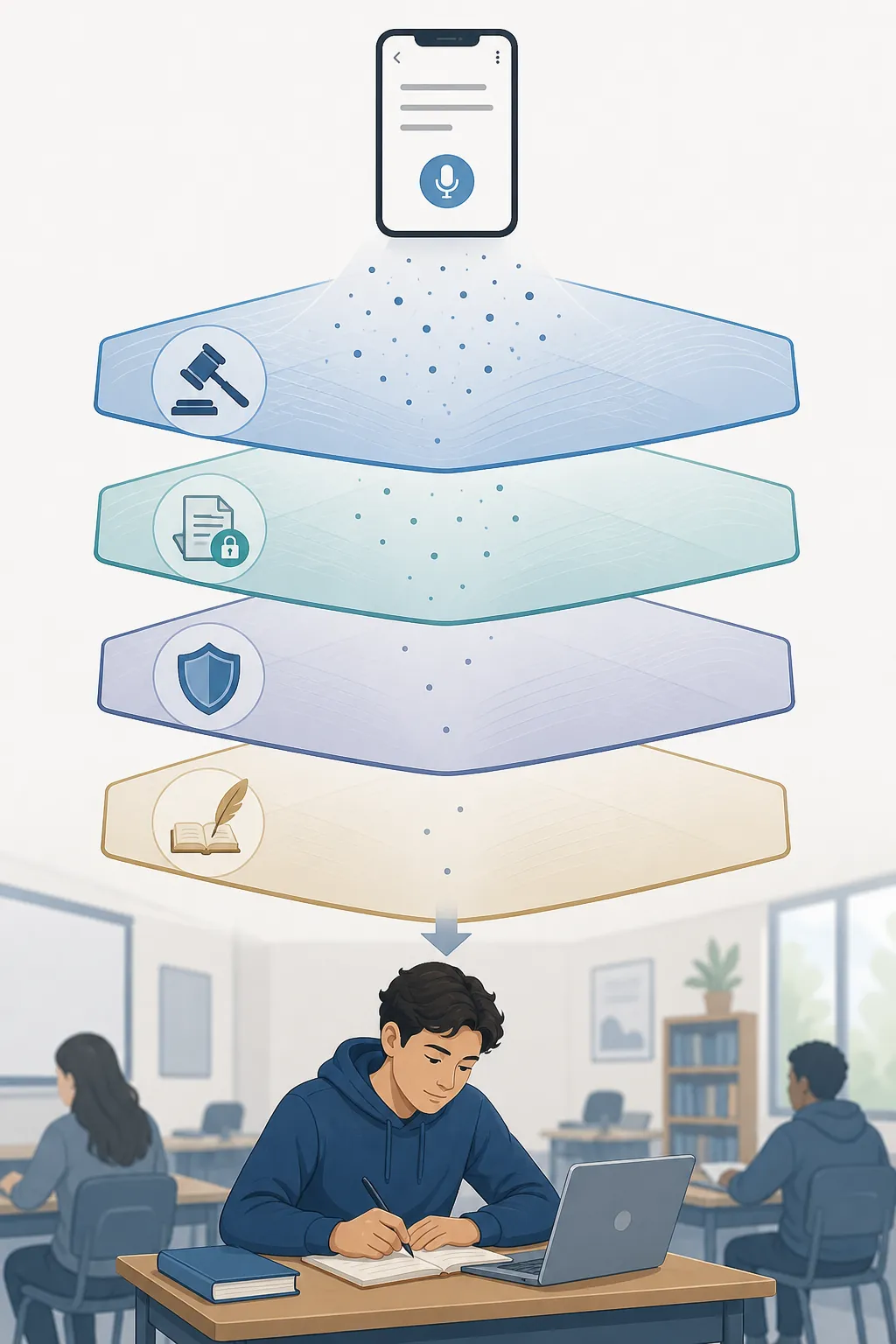
| Layer | What It Checks | What Can Still Block You |
|---|---|---|
| State recording-consent law | Whether you can record audio in that state and setting | FERPA, honor code, or syllabus rules |
| FERPA | Whether student education records or identifiable student information are involved | Honor code or syllabus rules |
| Honor code | Whether the institution treats the tool as unauthorized assistance, prohibited recording, or misuse of AI | The instructor’s course-specific rule |
| Syllabus | Whether this professor permits recording, transcription, AI summaries, sharing, or device use in this class | Nothing below it; this is often the rule students meet first |
That last column is the part students most often miss. Passing one layer does not carry permission into the next. It only means the next question is ready to be asked.
Start With State Consent Law, But Do Not Stop There
If the tool records classroom audio, the first check is recording-consent law. In broad terms, U.S. states are often described as either single-party consent states, where one participant in a conversation may consent to recording, or all-party consent states, where every party must consent. That shortcut is useful, but it is not the whole law. Educational settings, notice, implied consent, remote participation, and the line between a lecture and a conversation can all matter.
For a student, the practical version is simple: if the app captures live audio, check the state rule before class. If the class is online and people join from different states, the risk is harder to simplify. If the tool only works on materials you already have, such as uploaded readings, slides, or your own typed notes, recording-consent law usually becomes less central because no live recording is happening.
That does not make the tool automatically allowed. It only means the recording-law layer may not be the layer that blocks it.
FERPA Is About Records and Identifiability, Not Just Whether an App Says “Compliant”
FERPA is where many clean-sounding answers get messy. The University of Wisconsin–Madison Office of the Registrar warns that AI-generated meeting notes or summaries may fall into different categories depending on what they contain and how they are maintained. Some notes may fit the “sole possession” exception when they are private notes kept only for the maker’s use; others may become education records if they are maintained by the institution and directly relate to an identifiable student.[1]
That distinction matters in classrooms. A private summary of a lecture about photosynthesis is not the same thing as an AI transcript of a small seminar where students discuss grades, accommodations, disciplinary issues, medical information, or other identifiable student details. The tool may feel identical to the person pressing record, but the privacy analysis changes once the content identifies students or enters an institutional workflow.
Thrun Law Firm’s March 2025 analysis takes an even more cautious institutional view: schools should prohibit AI note-taking in meetings involving student records unless a formal data agreement is in place.[2] That is not a blanket statement that every student lecture note is a FERPA violation. It is a warning that once AI tools touch student records or identifiable information, the school may need more than a vendor’s marketing page before the tool is safe to use.
- Lower FERPA concern: a student privately uses AI to summarize their own typed notes from a general lecture.
- Higher FERPA concern: an AI bot joins a meeting where a student’s grades, accommodations, conduct matter, or records are discussed.
- Harder case: a seminar transcript includes classmates’ names, personal disclosures, or identifiable academic information.
- Institutional-risk case: the school directs staff to use an AI note-taker with education records but has no formal data agreement.
This is why “FERPA-compliant” cannot be read as “permitted everywhere.” A tool can have education-friendly privacy controls and still be inappropriate for a meeting, class, or assignment that contains protected information. The student’s question is not only what the vendor promises. It is what information the tool will capture, where that information goes, who can access it, and whether the school has approved that flow.
Honor Codes Often Treat AI Notes as Assistance, Recording, or Both
The honor-code layer is less tidy because institutions write it in different ways. Some schools focus on unauthorized assistance. Some focus on recording and distribution. Some focus on academic integrity in submitted work. Some have separate technology, privacy, disability-accommodation, and conduct policies that all point at the same classroom behavior from different angles.
Legal analysis of student discipline issues notes that notes and drafts often remain private at many institutions, which can limit when academic-misconduct rules attach.[3] That narrower point is useful, but it should not be stretched too far. A private draft may be treated differently from a shared AI transcript. A study aid may be treated differently from AI-generated work submitted for a grade. A disability accommodation may authorize recording for one student’s access needs while still prohibiting redistribution.
When checking the honor code, search for more than “AI.” Also search for “recording,” “transcription,” “unauthorized assistance,” “class materials,” “distribution,” “student privacy,” “electronic devices,” and “accommodations.” The rule that applies to an AI note-taker may be sitting under a recording policy written years before generative AI reached classrooms.
The Syllabus Is Often the Rule That Actually Stops the Tool
By the time a student reaches the syllabus, the legal and institutional questions may feel settled. They are not. Professors often operate in a “guideline vacuum,” where course-level statements become the clearest rule students can actually see.[4] CU Boulder’s teaching guidance also rejects a one-size-fits-all policy for generative AI, leaving room for instructors to set course-specific expectations.[5]
That creates a classroom reality students need to respect: two courses at the same school can treat the same tool differently. A large lecture may allow personal recording through an accommodation process. A discussion seminar may ban recording because classmates disclose personal information. A writing course may allow AI for brainstorming but prohibit AI-generated summaries of peer workshops. A lab may ban smart devices for safety or exam-security reasons.
Northern Illinois University’s collection of real syllabus statements shows how wide this range already is, including examples that permit AI use, restrict it to specific tasks, require disclosure, or prohibit it for graded work.[6] Temple University’s tiered model, included in that collection, is especially useful as a reading aid: one course may ban generative AI, another may allow it only with permission or citation, and another may encourage it for defined learning purposes.[6]
| If the Syllabus Says | Treat It As | Before Using an AI Note-Taker |
|---|---|---|
| No recording without permission | A direct block on live audio capture | Ask before recording, even if state law is single-party consent |
| No AI tools for coursework | A likely block on AI summaries used for assignments | Ask whether private lecture-access notes are included |
| AI allowed with disclosure | Conditional permission | Keep a record of what tool you used and how |
| AI allowed for brainstorming only | A narrow permission | Do not assume transcription, summarization, or rewriting is included |
| Accommodation recordings may not be shared | Access permission with redistribution limits | Use only as authorized and do not upload or share beyond the approved setting |
The most important syllabus habit is to separate capture, processing, and sharing. A professor may allow recording but not AI transcription. Another may allow transcription but not AI summaries. Another may allow summaries for private study but ban sharing them with classmates. If the syllabus does not say, the safe move is not to guess from the app’s feature list; it is to ask a narrow question before using it.
Smart Glasses and Bots Are Making the Device Question Harder
Schools are also starting to regulate the form of capture, not just the software. In February 2026, the College Board confirmed a ban on smart glasses for SAT test-takers.[7] That is a confirmed testing rule, not a general classroom law, but it signals the direction of exam-security policy: a device worn on the face may be treated differently from a laptop on the desk.
In April 2026, WUSF reported that Hillsborough County schools were considering a proposal to ban smart glasses.[8] That was a proposal, not an enacted rule in the material available here. Still, it belongs on a student’s checklist because device rules can move faster than syllabus templates. A school may not mention “AI note-taking” at all and still ban wearable cameras, smart glasses, or unauthorized recording devices.
The same logic applies to meeting bots. Some tools visibly join a Zoom or Teams call as a participant. Others capture system audio without adding a bot. That difference may affect whether classmates notice the capture, but it does not erase consent, FERPA, honor-code, or syllabus duties. A hidden capture method can make a conduct problem worse, not cleaner.
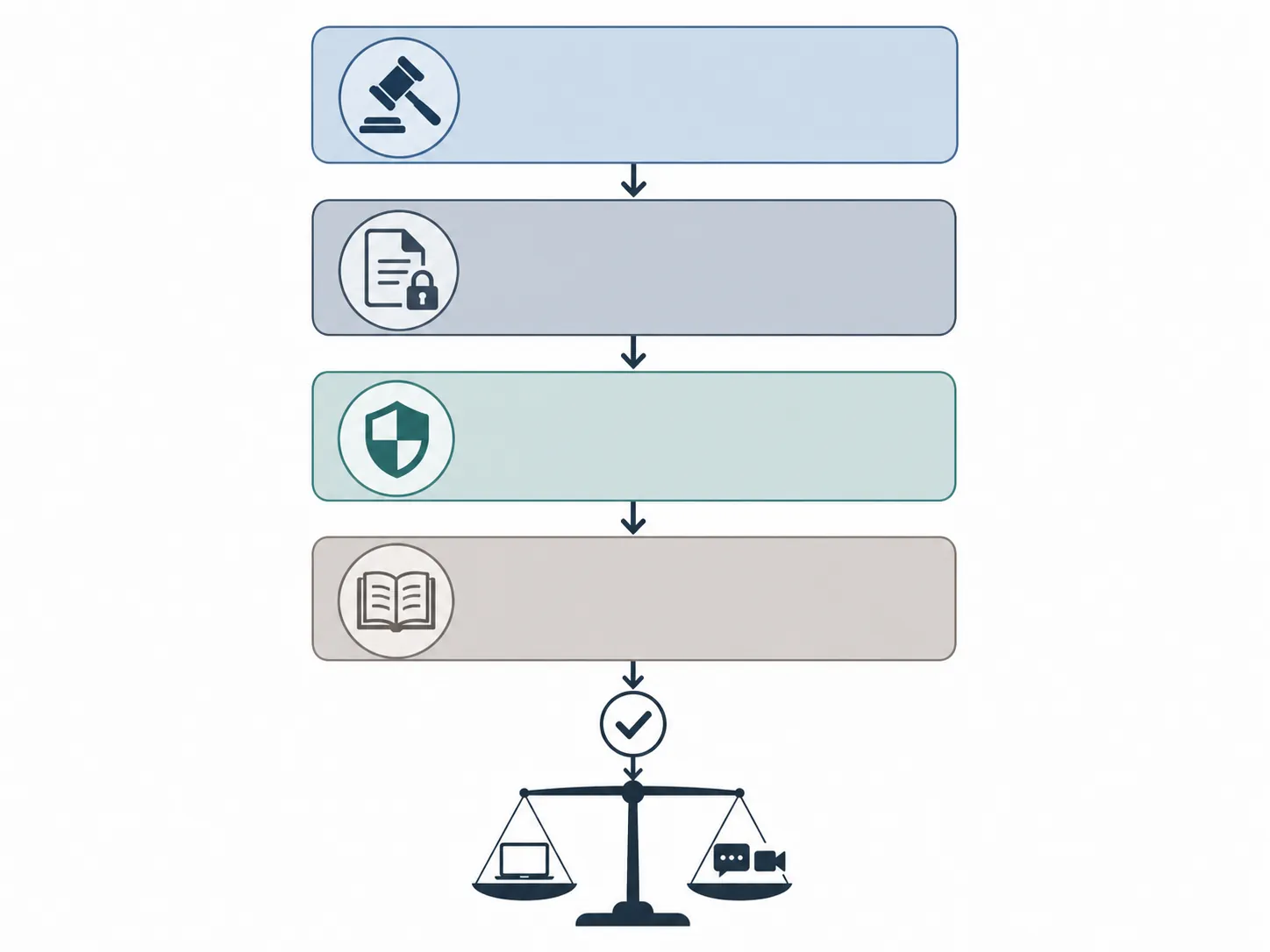
How Common Tools Fit Into the Policy Stack
Tool choice should come after the rule check, not before it. The useful comparison is not which app has the smoothest transcript. It is which policy risk the app reduces and which risk it leaves on the student.
| Tool Type or Example | Risk It May Reduce | Risk It Does Not Remove |
|---|---|---|
| Glean | Designed for education and accessibility contexts; described as FERPA-compliant and used by disability offices | Cannot override state consent law, honor codes, or a professor’s syllabus |
| Shadow | Bot-free, system-level capture may avoid adding a visible meeting participant | User still has to resolve consent, privacy, and classroom-permission questions |
| Fathom bot-free mode | May change capture mechanics for online meetings | Does not solve in-person lecture capture and does not erase consent duties |
| Otter.ai | Popular transcription workflow | Flagged as risky in the APA blog’s March 2026 discussion of data practices and lawsuit context |
| NotebookLM or OneNote Copilot | Can work post-capture on materials the student already has, reducing live-recording consent risk | Does not capture the live lecture unless the student separately creates or obtains source material |
Glean is the example that best shows why compliance language still needs context. A tool can be built for learning support, used by disability offices, and framed around FERPA compliance, yet the student may still need instructor permission to record a particular class. Accessibility support is real, and students who need it should not be left to improvise. But accommodation letters and campus processes matter precisely because they turn a vague need into authorized use.
Otter.ai shows the opposite problem. It is familiar and convenient, but the American Psychological Association’s March 2026 blog flagged Otter.ai as risky in connection with data practices and lawsuit context.[9] That does not prove that every student use of Otter.ai is unlawful or misconduct. It does mean a student should not treat popularity as a privacy review.
NotebookLM and OneNote Copilot sit in a different category because they can be used after capture. If a student uploads their own permitted notes, slides, or readings, the live-recording problem may disappear. The tradeoff is obvious in practice: the tool can summarize what the student has, not what the student failed to capture. For someone who cannot keep up with a fast lecture, post-capture AI may be safer but insufficient unless the student also has an approved way to get accurate source material.
A Practical Check Before Pressing Record
Use the checklist in order. Do not skip to the friendliest answer.
- Identify the state recording-consent rule for the class setting. If audio is captured, assume this layer matters.
- Ask whether FERPA-covered information or identifiable student information may be captured. Small seminars, advising meetings, accommodation discussions, disciplinary meetings, and grade conversations deserve extra caution.
- Read the honor code and technology policies for recording, AI assistance, distribution of class materials, and electronic devices.
- Read the syllabus for this course, not just the campus AI page. Look separately for recording, transcription, summarization, sharing, and device rules.
- If you have an accommodation, use the disability-office process rather than relying on an app’s general permission language.
- Choose the least risky tool that still solves the actual need: live capture, post-class organization, language support, memory support, study summaries, or assignment drafting.
A narrow email to the instructor is often better than a broad confession after the fact. Ask something like: “I’m trying to keep up with lecture notes. May I use an AI transcription or summary tool for private study only? I will not share recordings or transcripts unless you allow it.” If the tool records audio, say that plainly. If it only summarizes notes you already wrote, say that too. The distinction matters.
Last checked: July 31, 2026. Tool policies, campus rules, and device bans are changing quickly. The safest answer is contextual: the right tool is the one that satisfies the state law, FERPA context, honor code, and syllabus rule for the specific classroom where the student plans to use it.
References
- Guidance on AI-generated notes and FERPA, University of Wisconsin–Madison Office of the Registrar, University of Wisconsin–Madison Office of the Registrar
- AI note-taking and student records analysis, Thrun Law Firm, March 2025, Thrun Law Firm
- Student discipline and AI notes analysis, studentdisciplinedefense.com, studentdisciplinedefense.com
- Professors operating in a guideline vacuum, Inside Higher Ed, June 2024, Inside Higher Ed
- Generative AI teaching guidance, University of Colorado Boulder, University of Colorado Boulder
- Syllabus statements on AI use, Northern Illinois University, Northern Illinois University
- College Board SAT smart-glasses ban report, Inside Higher Ed, February 2026, Inside Higher Ed
- Hillsborough County smart-glasses proposal report, WUSF, April 2026, WUSF
- Otter.ai data practices and lawsuit context, American Psychological Association, March 2026, American Psychological Association