
The practical answer in 2026 is that an AI automation platform is only “best” after you know what job you are hiring it to do. If the job is plain-English delegation, Lindy is the cleaner fit. If the job is connecting a lot of everyday SaaS apps without code, Zapier or Make usually belongs on the shortlist. If the job is custom workflow logic with cost control, n8n or Pipedream makes more sense. If the job involves enterprise governance, RPA, auditability, and implementation discipline, Microsoft Power Automate, Workato, UiPath, ServiceNow, Tray.ai, or Salesforce Agentforce enter the conversation.
That sounds obvious until a team buys the wrong category. A beautiful demo can hide the maintenance problem: failed runs, brittle branching, missing integrations, unexplained credits, or a workflow only one power user understands. The safer buying question is not “Which tool has the most AI?” It is “Who will build this, who will maintain it, how often will it run, and what systems must it touch?”
Quick Fit: Start Here
| If your main need is... | Start with... | Why | Be careful if... |
|---|---|---|---|
| Delegating work in plain English | Lindy | It is built around natural-language AI assistant workflows for non-technical users. | You need deep branching, custom logic, or developer-level control. |
| Connecting common SaaS apps without code | Zapier or Make | Zapier has 9,000+ integrations, while Make is often chosen for visual scenario building and credit-based pricing. | Your workflow has many steps, high run volume, or unpredictable usage. |
| Flexible automation owned by a technical team | n8n or Pipedream | n8n offers free self-hosting and cloud plans from $20/month, while Pipedream is suited to developer-controlled workflows. | No one on the team wants to debug, version, or maintain workflow logic. |
| Microsoft 365-centered automation | Microsoft Power Automate | It fits organizations already standardized on Microsoft 365, with paid plans starting from $15/user/month. | Your most important systems live outside the Microsoft ecosystem. |
| Enterprise orchestration, RPA, governance, or audit controls | Workato, UiPath, ServiceNow, Tray.ai, Salesforce Agentforce, or similar | These tools are built for larger governance and implementation requirements. | You do not have implementation capacity, process ownership, or a real governance burden. |
The table is intentionally not a ranking. A founder trying to get email triage, meeting follow-ups, and CRM updates off their plate has a different problem from an operations team synchronizing Salesforce, NetSuite, Slack, and a data warehouse. Both may call the purchase “AI automation,” but the maintenance shape is not the same.
The Four Platform Categories That Actually Matter
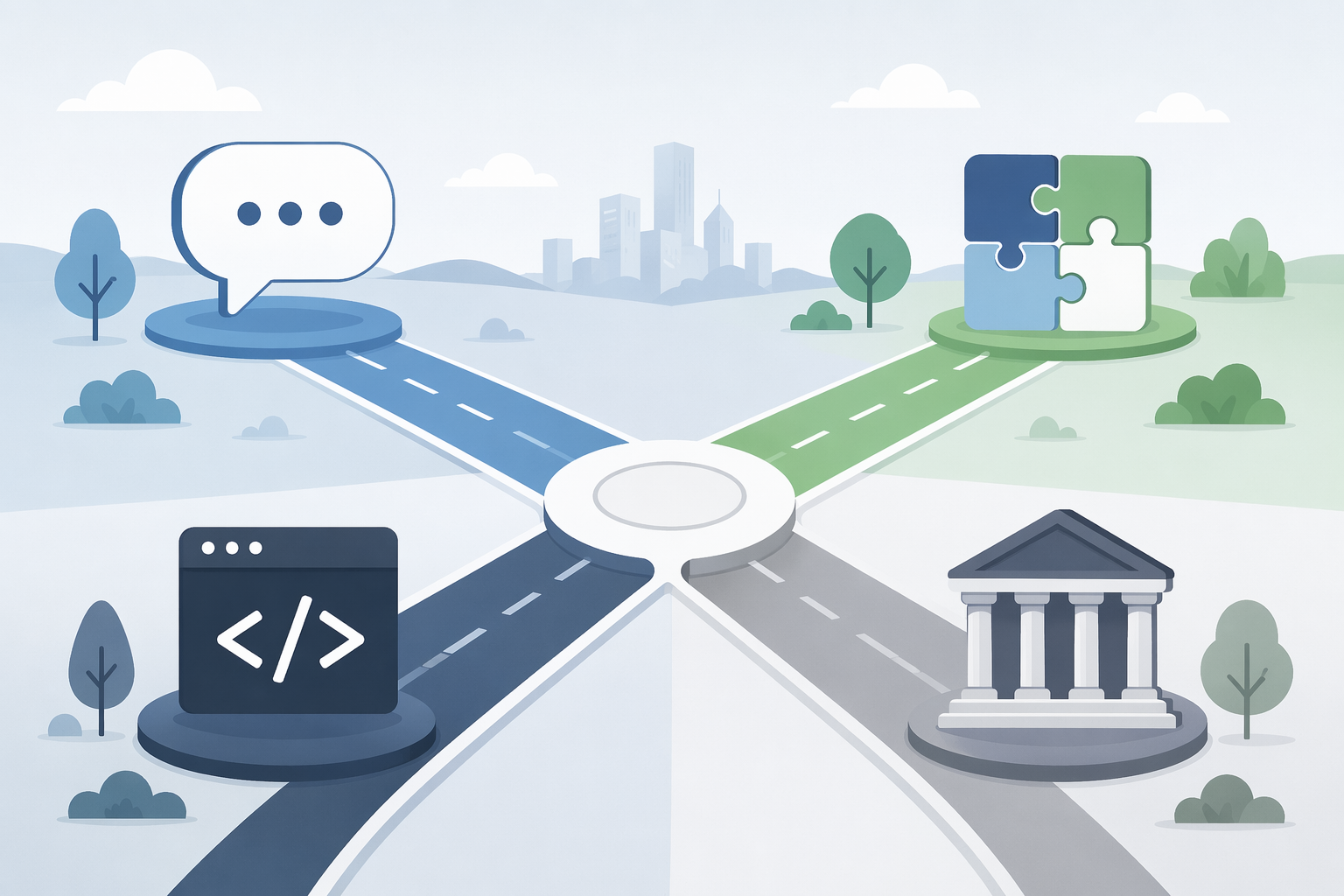
Most comparison pages flatten these tools into one long list. That is how buyers end up comparing an assistant, an integration hub, an open workflow engine, and an enterprise RPA platform as if they were interchangeable. They are not.
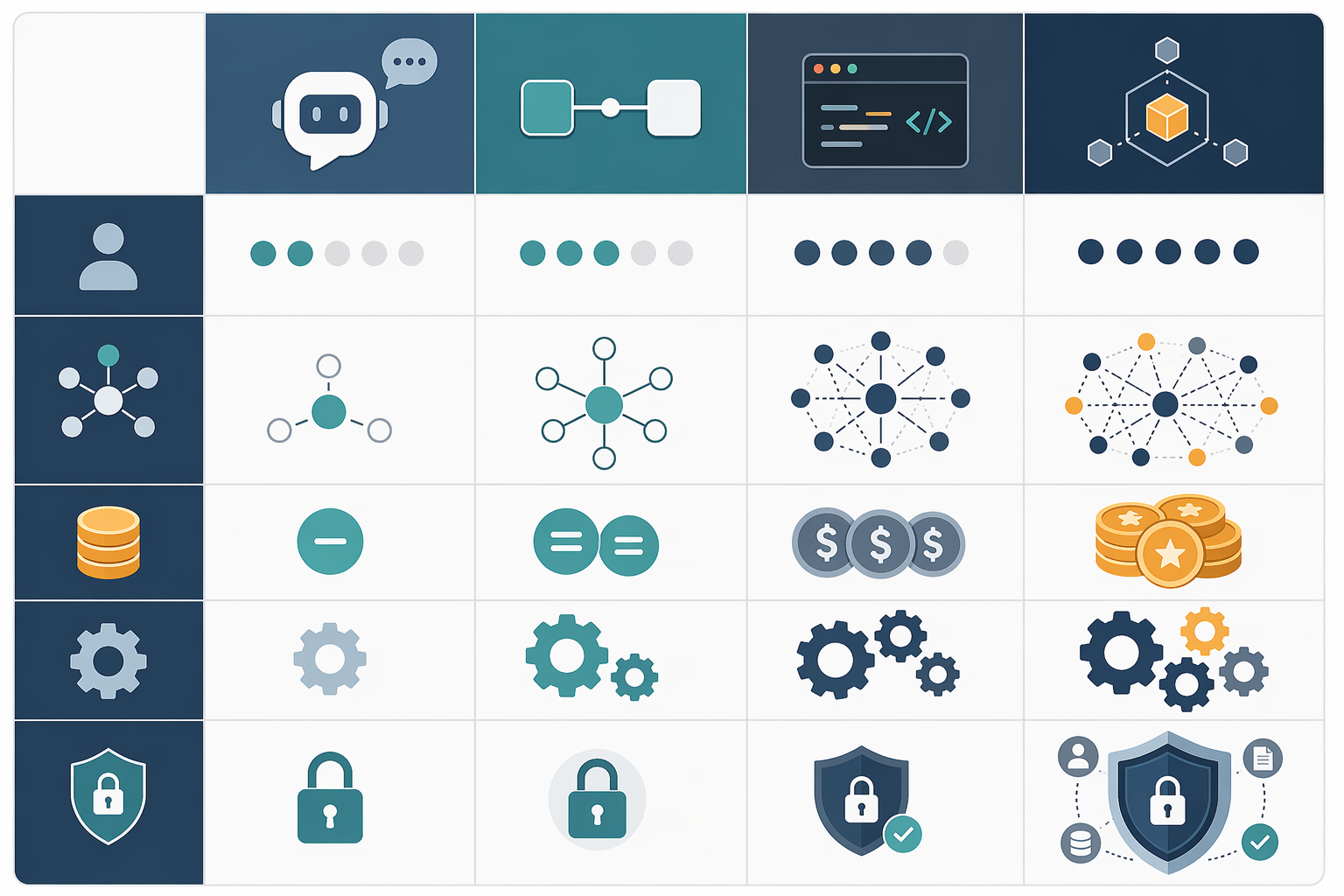
| Category | Typical user | Integration need | Pricing pattern | Customization depth | Not for you if... |
|---|---|---|---|---|---|
| AI assistant | Founder, operator, sales lead, executive assistant, solo operator | Moderate app connections, mostly around communication and task execution | Often plan-based or usage-sensitive depending on assistant activity | Strong for delegation, weaker for deep architecture | You need complex branching, exact control, or technical extensibility. |
| No-code connector | Ops lead, marketer, revenue ops generalist, small business admin | Broad SaaS connectivity across common tools | Per-task or per-credit pricing | Good for standard automations; limited when logic becomes dense | You have high-volume multi-step workflows and have not modeled usage cost. |
| Developer-flexible workflow engine | Technical ops, internal tools team, developer-founder, automation engineer | APIs, webhooks, databases, custom services, self-hosted systems | Execution-based, compute-based, or self-hosted | High, especially when code and workflow logic can mix | No technical owner will maintain it. |
| Enterprise orchestration | IT, enterprise automation CoE, security, procurement, process owners | Large portfolios of systems, RPA, governed workflows, audit requirements | Per-seat, consumption, contract, or unpublished enterprise pricing | High, but usually with implementation overhead | You only need lightweight SaaS-to-SaaS automation. |
Zapier’s 9,000+ integrations matter because they can save a team from building awkward connector workarounds before the workflow even begins [1]. But breadth is not the same as suitability. If a workflow has ten steps and runs thousands of times, the question shifts from “Can Zapier connect these apps?” to “What does each run consume, and what happens when volume doubles?”
Lindy sits in a different lane. Its appeal is that a non-technical user can describe work in natural language and delegate assistant-style tasks without first becoming a workflow architect, but the same research boundary is clear: it is less suited to deep customization than more technical platforms [2]. That trade-off is not a flaw if the work is assistant-shaped. It becomes a problem when the buyer actually needs a controlled workflow engine.
n8n is almost the inverse. It has one of the strongest flexibility-to-cost stories for technical teams because it offers free self-hosting and cloud pricing from $20/month, but it also carries a steep learning curve [3]. That is a fair trade when someone can own workflows like production systems. It is a bad surprise when the admin who built the first prototype is also responsible for payroll, onboarding, and quarterly reporting.
Pricing Is Where Comparisons Get Messy
A pricing table can make these platforms look comparable when they are charging for different units. One platform charges for tasks, another for executions, another for credits, another for seats, and another for consumption. The visible monthly price is only the opening bid.
| Pricing model | Platforms mentioned in research | What the buyer has to model |
|---|---|---|
| Per-task | Zapier | How many individual steps count as billable tasks, especially in multi-step workflows. |
| Per-execution | n8n | How often workflows run and whether one execution can contain many useful operations. |
| Per-credit | Make, Gumloop | How credits are consumed by different actions, AI calls, and scenario complexity. |
| Per-seat | Microsoft Power Automate | How many builders or users need access, not just how many workflows exist. |
| Consumption-based | Salesforce Agentforce | How agent activity maps to credits; Agentforce is cited at $500 per 100K credits. |
| Unpublished enterprise pricing | Workato, ServiceNow, Tray.ai | Contract scope, implementation work, governance needs, and third-party directional estimates. |
This is why “cheap” and “expensive” are dangerous shortcuts. Zapier’s per-task model can be perfectly reasonable for simple automations, yet scale quickly when every lead, ticket, invoice, or row update triggers several downstream actions [1]. n8n’s execution-based model can be attractive for technical teams because one execution may carry more logic, and self-hosting can reduce platform subscription cost, but that shifts responsibility to the team running it [3].
Credit systems need the same suspicion. Make and Gumloop are described as credit-based in the 2026 research set, while Salesforce Agentforce is cited as a consumption-based model at $500 per 100K credits [2]. A credit is not a universal unit. Before approving a platform, ask what a credit buys in the workflows you will actually run: a simple app action, an AI-generated response, a web lookup, a document extraction, or a multi-step agent task.
AI-heavy workflows deserve extra modeling. Gartner’s caveat, cited in the research materials, is that agentic models can require 5–30x more tokens per task than standard LLM calls [3]. That does not mean agentic automation is unaffordable. It means the cost curve can bend sharply when the workflow asks an agent to reason, plan, retry, retrieve context, and call tools instead of making one narrow model request.
The uncomfortable buying exercise is to sketch three real workflows and estimate their steady-state usage. A simple weekly report, a lead routing workflow, and an AI customer follow-up process will stress different pricing models. If the vendor’s calculator cannot explain those three, the demo has not answered the cost question.
When Zapier or Make Is the Right Choice
Choose Zapier or Make when the work is mostly no-code app connectivity: moving data between SaaS tools, triggering notifications, creating records, routing form submissions, updating sheets, or keeping small operational processes from living in someone’s inbox. This is the category that helps the most when the buyer’s main fear is, “Can this platform connect to the tools we already use?”
Zapier’s strongest practical advantage is breadth. The 2026 research describes it as leading with 9,000+ integrations [1]. That number should not impress anyone by itself; it matters when it keeps a team from building a custom connector or replacing a tool they already rely on. In small and mid-sized operations, avoiding one custom workaround can be worth more than a dozen clever AI features.
Make belongs in the same no-code connector conversation but with a different feel: it is often selected for visual scenario building and credit-based usage. That can make complex flows easier to see than a purely linear builder, but the buyer still has to understand what consumes credits and what happens when a scenario becomes central to daily operations [2].
The fit failure is choosing this category for workflows that have quietly become software. If the automation needs extensive branching, custom error handling, versioning discipline, API-specific logic, or heavy volume, a no-code connector can still work, but the maintenance and pricing assumptions need to be tested before rollout.
When Lindy Is the Cleaner Fit
Lindy is strongest when the user wants to delegate outcomes in natural language rather than design a full workflow from scratch. That is a meaningful shift for non-technical operators. Instead of translating every process into triggers, conditions, paths, and field mappings, the user can ask an assistant to handle work that looks closer to coordination: follow-ups, summaries, scheduling support, inbox-adjacent tasks, and lightweight handoffs.
The research positions Lindy as an ease-of-use leader for non-technical users, while also noting that it lacks the deep customization of more technical workflow platforms [2]. That is the cleanest way to judge it. If the buyer values approachable delegation more than architecture, Lindy deserves a serious look. If the buyer expects a deeply customized automation backbone, the easier interface may become a ceiling.
A good Lindy candidate is a team where the current bottleneck is human coordination rather than system complexity. A poor Lindy candidate is a team trying to encode a complicated operating procedure with many exceptions, unusual systems, and strict audit requirements. In that second case, the buyer may not need an assistant. They may need a workflow engine.
When n8n or Pipedream Is Worth the Extra Ownership
n8n and Pipedream become more attractive when the team has technical ownership and wants flexibility more than hand-holding. This is the lane for API calls, webhooks, custom transformations, internal tools, databases, and workflows where the standard connector path is too limiting.
n8n’s cost story is unusually strong for teams that can support it: free self-hosting and cloud pricing from $20/month are both called out in the 2026 research [3]. The trade-off is not hidden. n8n has a steep learning curve [3]. A technical team may see that as acceptable power. A casual user may experience it as friction every time something breaks.
Pipedream fits a similar buyer profile: someone comfortable with developer-oriented workflow logic and integrations. It is less about shielding the user from technical details and more about letting a technical operator move quickly without giving up control. That can be exactly right for a lean engineering or technical ops team.
The mistake is treating “technical flexibility” as a free benefit. Someone has to own credentials, error handling, API changes, naming conventions, documentation, and deployment discipline. If that person exists, this category can beat simpler tools on power and cost. If that person does not exist, the organization has bought itself a part-time platform engineering job.
When Power Automate Is the Default
Microsoft Power Automate is the natural first stop for organizations already centered on Microsoft 365. The 2026 research cites paid plans from $15/user/month and describes it as a strong fit for M365-heavy environments, while noting that AI features are less flexible outside the Microsoft ecosystem [4].
That ecosystem fit matters. If approvals, documents, email, Teams, SharePoint, Excel, and identity management already live inside Microsoft, Power Automate can reduce procurement friction and keep automations near the systems employees use all day. The platform does not need to be the most elegant option for every workflow to be the most practical option for that environment.
The boundary is also clear. If the company’s operating center is not Microsoft, or if the most important automations depend on non-Microsoft systems and flexible AI behavior, Power Automate should be compared against connector-first and developer-flexible platforms rather than chosen by default.
When Enterprise Platforms Earn Their Cost
Enterprise platforms are easiest to criticize from the outside because pricing is often higher, slower, or unpublished. They are also the tools most likely to be justified when the work involves governance, RPA, security controls, audit trails, complex approvals, and cross-department implementation. Workato and UiPath are called out in the 2026 research for robust governance and RPA, with the caveat that they carry higher total cost of ownership and require dedicated implementation specialists [4][5].
That implementation requirement is not a footnote. At enterprise scale, the software purchase is only one line item. Process discovery, control design, role permissions, exception handling, testing, change management, and support ownership often determine whether the automation survives contact with the organization.
There is also a transparency problem in comparisons. Workato, ServiceNow, and Tray.ai do not publish simple list pricing in the research brief, so directional estimates from third parties should not be treated as equivalent to public self-serve plans. A buyer can still compare total cost, but the comparison has to include contract scope and implementation assumptions, not just a monthly number.
The fit failure here is buying enterprise orchestration to solve a small-team workflow problem. If three people need to route form submissions and send follow-up emails, a governed enterprise platform may add more process than value. If hundreds or thousands of employees depend on controlled automations across regulated systems, a lightweight no-code stack may create risk the organization cannot accept.
A Practical Selection Pass
Before you compare product pages, write down the workflow in operational terms. Name the trigger, the systems touched, the expected run volume, the failure consequence, and the person who will fix it. That last name matters. “The platform will handle it” is not an ownership model.
- If the workflow is assistant-shaped and the user is non-technical, start with Lindy.
- If the workflow is mostly SaaS-to-SaaS connection work, compare Zapier and Make first.
- If the workflow needs custom API logic, versionable complexity, or self-hosting economics, look at n8n or Pipedream.
- If the organization runs on Microsoft 365, put Power Automate in the first round.
- If governance, RPA, auditability, and cross-enterprise rollout are the real requirements, evaluate enterprise platforms with implementation cost included.
Then model price using the unit the platform actually charges for. For Zapier, count tasks. For n8n, estimate executions and hosting responsibility. For Make or Gumloop, understand credits. For Power Automate, count seats. For Agentforce-style consumption, estimate credit usage. For enterprise platforms, ask for the services, governance, and support assumptions behind the quote.
The right AI automation platform in 2026 is the one whose operating model matches the work after the demo ends: Lindy when delegation ease matters most, Zapier or Make when no-code connectivity is the priority, n8n or Pipedream when technical flexibility and cost control matter, Power Automate when Microsoft 365 is the center of gravity, and enterprise platforms only when governance, RPA, and implementation capacity justify the higher total cost.
References
- Zapier blog, 2026
- Lindy blog, 2026
- n8n blog, 2026
- Vellum, 2026
- Helperfy AI, 2026