
Choosing a digital note taking app in 2026 is less about finding the app with the longest feature list and more about avoiding the system you will quietly resent six months from now. A student needs lecture notes on a train with bad signal. A consultant needs yesterday’s meeting note from a phone, laptop, and borrowed browser. A researcher may want backlinks and graph thinking without locking years of notes inside a proprietary database. A team member may simply have to use Notion because the rest of the team already does.
So the useful answer is conditional: Notion is strongest when notes become structured team knowledge; Obsidian is strongest when ownership, offline access, and linking matter most; Apple Notes and Google Keep win when capture speed matters more than architecture; Reflect is compelling if you want integrated AI in a narrower platform footprint; Evernote still has legacy strengths, but its cost now deserves scrutiny; and UpNote is the budget outlier that should not be dismissed just because it is inexpensive.

Prices and plans below were last checked against the available research for Q2 2026. That caveat matters. Note-taking pricing has become unusually fluid, especially around Evernote, Notion, Capacities, and smaller AI-heavy tools. Treat the table as a shortlist builder, then verify the current checkout page before moving a real archive.
The 2026 comparison table
| App | Starting price | Free-plan quality | Platforms | Linking model | Offline support | AI features | Best for |
|---|---|---|---|---|---|---|---|
| Notion | Plus plan reported at $10/user/month annually in current app roundups [1] | Useful for personal testing; team and power features push users toward paid plans | Web, desktop, mobile | Database pages, relations, page links, wikis | Limited compared with offline-first apps | Notion AI exists, but claims about workspace-wide behavior should be verified before relying on it | Teams and individuals who want structured databases, project docs, and notes in one workspace |
| Obsidian | Core app free for personal use; Sync from $4/month [2] | Excellent if you do not need paid sync or publishing | Windows, macOS, Linux, iOS, Android | Markdown files, backlinks, graph view, canvas, plugins | Strong local-first/offline-first behavior | No native AI center; AI depends on community plugins and user setup | Local-first PKM, research notes, ownership, and deep linking |
| Evernote | Personal plan listed at $14.99/month; free tier limited to 50 notes and 1 device in current reporting [3] | Severely limited for a serious archive | Web, desktop, mobile | Traditional notebooks, tags, search, internal links | Available, but plan and device limits affect usefulness | AI features exist in newer Evernote versions, but value depends on current plan behavior | Existing Evernote users who still need its capture, search, and archive habits enough to justify the cost |
| UpNote | $1.99/month or $39.99 lifetime [4] | Good enough to test; paid plan is the real value | Windows, macOS, Linux, iOS, Android | Notebooks, tags, backlinks, internal links | Good practical offline use across devices | Not an AI-first app | Budget-conscious cross-platform users who want polished notes without a subscription burden |
| Apple Notes / Google Keep | Free with Apple or Google accounts | Excellent for quick capture | Apple Notes: Apple ecosystem; Google Keep: web, Android, iOS | Basic folders, labels, search, limited linking | Apple Notes is strong offline on Apple devices; Keep is better treated as lightweight cloud capture | Platform-dependent smart features, not full PKM AI | Fast capture, simple lists, family notes, and people who do not want a system |
| Reflect | $10/month with 14-day trial [5] | Trial only, not a long-term free option | iOS and web | Backlinks, daily notes, networked notes | Constrained by its platform model | Integrated AI is a core selling point; Reflect also emphasizes end-to-end encryption [5] | AI-assisted personal notes for users comfortable with iOS/web limits |
| Bear | Bear Pro at $2.99/month [6] | Good for local writing; sync and advanced export require Pro | Apple devices only | Tags, wiki-style links, clean Markdown-adjacent writing | Strong on Apple devices | Not positioned as an AI-native workspace | Apple-only writers who care about speed, typography, and a calm writing surface |
| Logseq | Free and open source [7] | Excellent if the outliner workflow fits | Desktop and mobile, with community-driven ecosystem | Bidirectional links, blocks, daily journal, graph | Local-first orientation | Not native-AI-led | Open-source linked thinking, daily journals, and users willing to accept a more functional interface |
| Roam Research | $15/month; no free plan in current pricing reports [8] | No durable free tier | Web-first with apps | Block references, backlinks, daily notes, graph | Less reassuring than local-first Markdown tools | Not the strongest current AI value story | People already committed to Roam’s block-based graph workflow |
| Microsoft OneNote | Free with Microsoft account; storage and Microsoft 365 context may apply | Strong, especially for students and Office users | Windows, macOS, web, iOS, Android | Notebooks, sections, pages; weaker backlink culture | Strong offline-first behavior on installed apps | Microsoft ecosystem AI depends on broader plan context | Students, stylus users, Office-heavy workplaces, and long-form notebook organization |
| Joplin | Free open-source app; optional paid cloud sync available | Strong if you can manage sync choices | Windows, macOS, Linux, iOS, Android, terminal | Markdown notes, notebooks, tags, links, plugins | Strong offline-first behavior | Not AI-native | Privacy-minded users who want open-source notes and file-level control |
| Capacities / Storyflow | Capacities Pro has been reported around €9/month, but official pricing visibility was unclear in research; Storyflow pricing should be checked directly before adoption [9] | Capacities has a generous free core in current reporting; Storyflow depends on current workspace terms | Modern web and app workspaces | Capacities: object-based notes; Storyflow: canvas/team workspace orientation | More cloud-workspace than offline-first | AI and structured workspace features vary by plan | Users exploring newer object-based or canvas-based knowledge work, provided they are comfortable verifying pricing and lock-in first |
If the table already leaves you with two or three contenders, that is a good sign. A comparison like this should narrow the field before it asks you to read twelve app profiles. For a deeper cost-only pass, use the pricing-focused comparison, Best Note-Taking Software in 2026: Pricing Exposed. If the free tier is your hard constraint, the more useful next read is Best Free Note-Taking Apps in 2026.
The real split: structured workspace or local-first notes
The biggest decision is not whether you like a sidebar, a graph, or a pretty editor. It is whether your notes are becoming a structured workspace or a personal archive.
Notion is the clearest example of the structured-workspace path. A note can become a task database, a project tracker, a team wiki page, a content calendar entry, or a client portal. That flexibility is why Notion keeps showing up in team environments: it does not merely store notes; it turns them into shared objects that can be filtered, assigned, related, and reused. For a consultant, an operations team, or a small company trying to keep decisions near projects, that is a serious advantage.
The cost is capture friction. A database-first workspace can feel heavy when the job is simply to write down what a professor just said or paste a line from a phone call before the next meeting begins. Notion can absolutely hold quick notes, but it is happiest when notes have a place to go. If you never intend to maintain the structure, the structure becomes housekeeping.
Obsidian sits on the other side. It treats your notes as local Markdown files, then adds backlinks, search, graph views, canvas, themes, and a large plugin ecosystem on top. The core app is free for personal use, and the paid Sync service starts at $4/month [2]. The frequently cited plugin depth is real: Obsidian’s community ecosystem is unusually large, with current materials describing more than 1,500 plugins. That does not make every user better off installing plugins. It means the app can stretch from a plain Markdown note folder into a serious research environment if the user has the patience to shape it.
The practical appeal of Obsidian is less glamorous than the graph screenshots suggest: your notes remain files. For researchers, writers, technical users, and anyone burned by migrations, that changes the risk calculation. It also makes Obsidian a better candidate when offline access is nonnegotiable. For a fuller version of that tradeoff, the comparison between local-first and cloud PKM apps is the right rabbit hole.
Neither model is morally better. A shared client database in Obsidian can become a maintenance project. A private research vault in Notion can become difficult to disentangle later. The mistake is pretending both apps are competing to solve the same narrow problem.
The fast-capture apps deserve more respect than they usually get
Apple Notes and Google Keep are easy to underrate because they do not look like knowledge systems. That is also why they work. They open quickly, sync through accounts people already use, and ask for very few decisions at the moment of capture.
Apple Notes is especially strong for people fully inside the Apple ecosystem. It is available where the user already is, supports offline work well on Apple devices, and has grown into a capable everyday note app for scans, checklists, shared notes, and simple folders. It is not the best choice for Windows or Android users, and it is not designed around backlinks or elaborate knowledge graphs. That is a limitation only if you actually need those things.
Google Keep is even lighter. It is better for reminders, scraps, short lists, and temporary capture than for building a durable archive. If your notes are mostly grocery lists, meeting reminders, parking locations, and quick thoughts you later move elsewhere, Keep may be enough. If you expect it to become a research library, it will fight you by being exactly what it is: a simple capture surface.
Evernote is still useful, but loyalty has a price now
Evernote’s problem is not that it suddenly became bad at everything. Plenty of people still have years of clipped articles, scanned documents, meeting notes, tags, and saved searches inside it. For that user, the app’s value is partly the archive itself. A clean migration is not free just because another app has a better pricing page.
The harder question is what a new or lightly invested user is paying for. Current reporting lists Evernote Personal at $14.99/month, with the free tier restricted to 50 notes and 1 device [3]. That makes Evernote one of the most expensive individual options in this set, and it makes the free plan a poor long-term test for anyone who takes notes regularly.
There are still cases where Evernote belongs on the shortlist: a user who depends on its familiar web clipping, a professional with a mature Evernote archive, or someone whose scanning and retrieval habits are already built around it. But the burden of proof has shifted. If you are starting fresh, Evernote has to beat cheaper, cleaner, or more ownership-friendly alternatives on your actual workflow, not on memory.
Readers specifically weighing whether to stay or leave should use the dedicated Evernote 2026 comparison rather than treating this broad table as a migration plan.
UpNote is the budget exception worth taking seriously
Cheap software often makes people suspicious, sometimes for good reasons. A low price can mean weak sync, uncertain longevity, missing export options, or an app that works beautifully until your archive becomes large. UpNote is notable because its pricing is unusually aggressive without the app feeling like a disposable scratchpad: $1.99/month or $39.99 for lifetime access in current pricing materials [4].
Its appeal is practical. It runs across major platforms, looks polished, supports notebooks and linking features, and avoids the subscription fatigue that now surrounds some older note apps. It is not the strongest pick for a team database, open-source control, or AI-centered workflows. It is the app to test when you want something calmer than Notion, simpler than Obsidian, and far less expensive than Evernote.
Where the specialist apps fit
Reflect, Bear, Logseq, Roam, OneNote, Joplin, Capacities, and Storyflow are not second-tier choices so much as narrower answers.
Reflect is the clearest AI-context pick in this group. Its $10/month price, 14-day trial, iOS/web availability, backlinks, and end-to-end encryption positioning make it attractive for users who want a personal note system with AI woven in rather than bolted on later [5]. The platform limit is not a detail. If you live on Windows and Android, Reflect asks too much before the workflow even begins.
Bear is the writing-pleasure choice for Apple users. Bear Pro is listed at $2.99/month [6]. Its clean editor, tags, and wiki-style links make it much more pleasant than many heavier apps for drafting and collecting prose. The boundary is just as clear: no Android, no Windows. If that does not bother you, Bear’s restraint is part of its value.
Logseq and Roam both appeal to people who think in daily notes, outlines, blocks, and backlinks. Logseq’s advantage is that it is free, open source, and privacy-oriented [7]. Roam’s advantage is familiarity for users already committed to its original block-reference model, but its reported $15/month price and lack of a free plan make it harder to recommend casually [8]. If the real shortlist is Notion, Obsidian, and Logseq, the more precise next read is the Notion vs. Obsidian vs. Logseq head-to-head.
OneNote remains the durable notebook app for students, stylus users, and Microsoft-heavy workplaces. It is rarely the most elegant PKM tool, but it handles long notebooks, class sections, handwriting, and Office-adjacent work well. If your laptop is the center of your note life, platform behavior matters enough to check the dedicated Best Note-Taking Apps for Laptop comparison.
Joplin belongs in the privacy and open-source branch. It gives users more control than mainstream cloud note apps, but it also asks them to be more comfortable with sync choices and a less glossy experience. Capacities and Storyflow are more modern workspace experiments: Capacities leans into object-based knowledge, while Storyflow is described in current materials as canvas-based team workspaces. Those ideas are interesting, but pricing and lock-in deserve direct verification before a serious move, especially where official pricing was unclear during research [9].
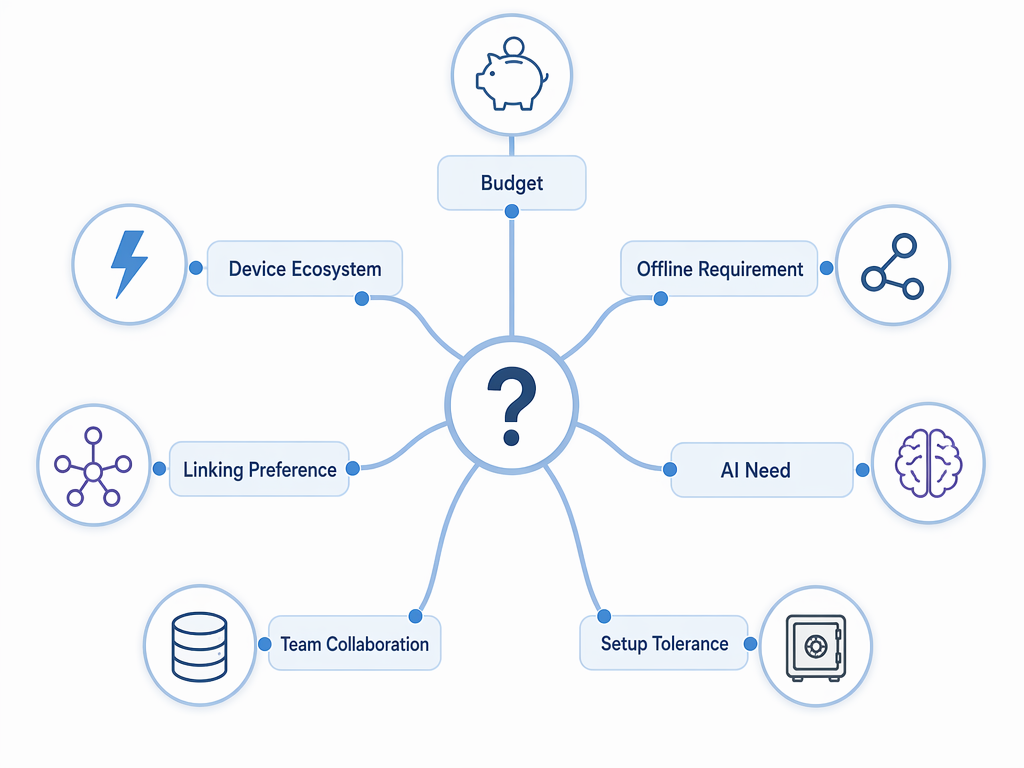
Choose by the constraint that will actually hurt
Most bad app choices come from optimizing for the wrong day. People choose for the quiet Saturday when they are designing a perfect system, then suffer on the Tuesday when they need to capture a note in twenty seconds. Start with the constraint that will punish you most often.
If budget is the hard limit
Start with Apple Notes, Google Keep, OneNote, Logseq, Joplin, Obsidian, or UpNote. The first three are easiest if you want ordinary notes without a new system. Logseq and Joplin are better if open-source values matter. Obsidian is the strongest free core for local-first linked notes. UpNote is the paid app to check when you can spend a little and want a polished cross-platform experience.
If you need reliable offline access
Shortlist Obsidian, Apple Notes, OneNote, or Joplin first. These are the safest choices when notes must be available without dependable connectivity. Notion can be valuable for teams and databases, but it should not be your first pick if offline capture is the daily pressure point.
If your notes are becoming a team workspace
Start with Notion. If the work involves project pages, databases, handoffs, status views, shared documentation, and lightweight internal tools, Notion’s structure is the feature. Storyflow may also belong on the list for canvas-based team workspaces, but verify current pricing and export expectations before committing a team.
If backlinks and ownership matter
Start with Obsidian. Add Logseq if you like outlines and daily journals, and Joplin if open-source privacy matters more than a graph-centered interface. This is also the moment to ask whether you need a PKM system at all. Many people looking for backlinks actually need a simple searchable notebook. The PKM Apps vs. Note-Taking Apps guide is useful before you overbuild.
If AI is the reason you are switching
Look at Reflect first if you are comfortable with iOS/web and want AI inside the note-taking experience. Look at Notion if AI belongs near team documentation and structured project knowledge. Treat plugin-based AI in Obsidian as a setup project, not a native guarantee. Also be careful with vague AI claims: the useful question is whether the AI can help retrieve, connect, summarize, or act on your actual archive, not whether the pricing page says “AI.”
If you hate setup
Use Apple Notes, Google Keep, Bear, UpNote, or OneNote. Obsidian can be simple, but many users turn it into a workshop. Notion can be simple, but many teams turn it into a half-built operating system. The best low-maintenance app is the one that does not require you to become its administrator.
A practical shortlist
- Choose Notion if your notes need to become databases, wikis, project trackers, or shared team knowledge.
- Choose Obsidian if you want local-first files, backlinks, long-term ownership, and room to build a serious personal knowledge system.
- Choose Apple Notes or Google Keep if fast capture matters more than elaborate organization.
- Choose Reflect if AI-assisted personal notes are worth the iOS/web platform limits.
- Choose Evernote if you still depend on its legacy archive, capture habits, or search enough to justify the current price.
- Choose UpNote if you want a polished, cross-platform, low-cost note app and do not need a team database or open-source architecture.
References
- The 12 Best Note-Taking Apps in 2026 — Storyflow
- Pricing — Obsidian
- The Best Note-Taking Apps for 2026 — PCMag
- UpNote Premium — UpNote
- Reflect — Reflect
- Bear Pro — Bear
- Logseq — Logseq
- Roam Research — Roam Research
- Pricing — Capacities