
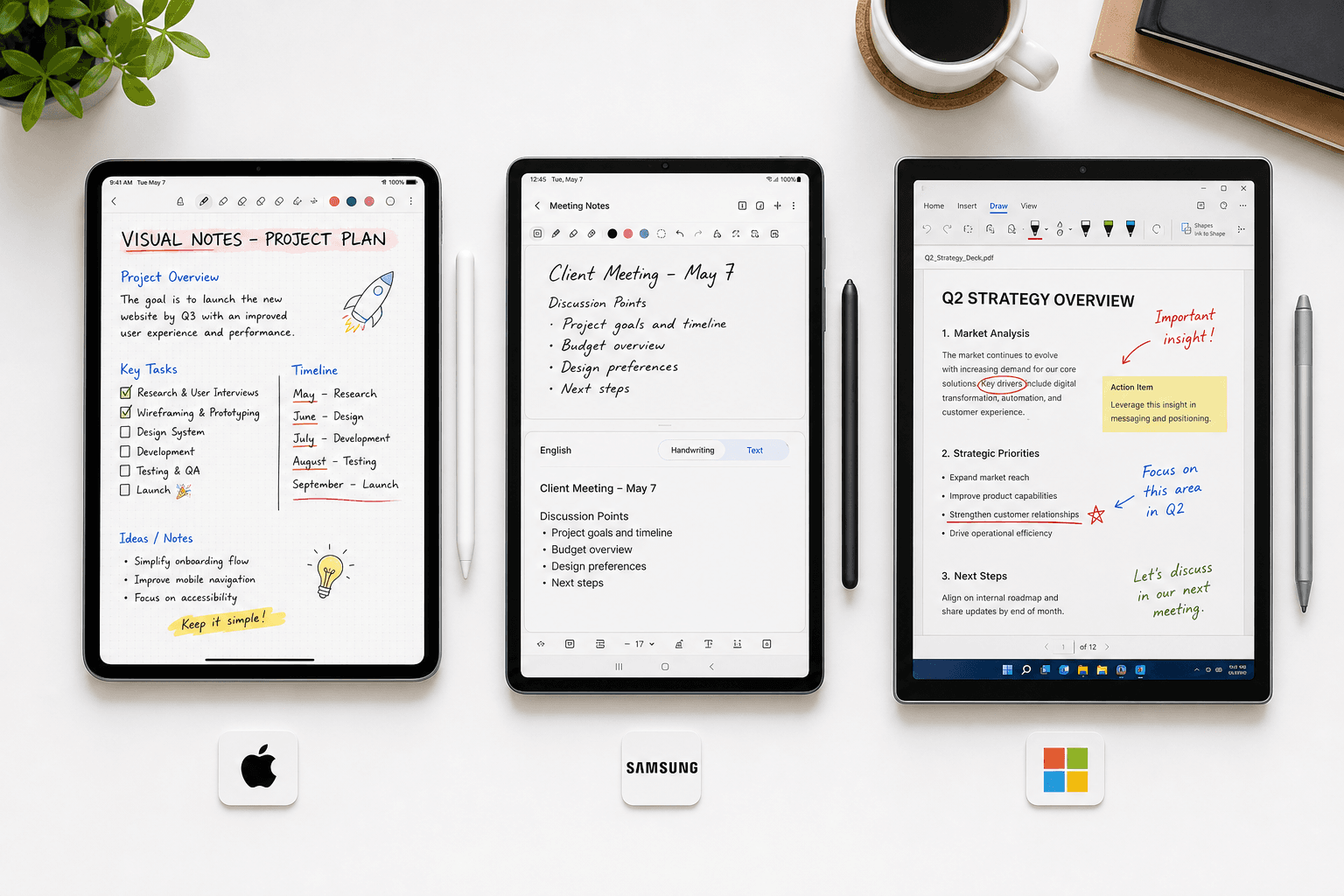
Why Stylus Note-Taking Still Matters for Students
The debate between typing and handwriting in lecture halls has been settled by a decade of cognitive science. A 2014 study by Mueller and Oppenheimer demonstrated that students who handwrite notes process information more deeply than those who type verbatim, because the physical act of writing forces you to paraphrase and organize ideas in real time. A 2024 meta-analysis by Flanigan found that reviewing handwritten notes improved course achievement with an effect size of Hedges' g = 0.248. And a 2025 PMC review confirmed that handwriting activates broader motor, sensory, and cognitive brain regions than typing does.
The old objection to handwritten notes — that they are unsearchable and hard to organize — no longer holds. Modern stylus note-taking apps combine the cognitive benefits of handwriting with digital search, cloud sync, and AI-powered study tools. The challenge for students in 2026 is not whether to use a stylus, but which device and app combination fits their major, their budget, and their lecture style.
Device First: iPad, Galaxy Tab, or Surface?
Before you evaluate apps, you need to pick a device. The stylus experience varies significantly across the three major ecosystems, and your choice will constrain your app options for the next three to four years. Here is how they compare on the factors that matter most to students.
| Factor | iPad + Apple Pencil | Galaxy Tab + S Pen | Surface + Surface Pen |
|---|---|---|---|
| Stylus latency | ~9ms (iPad Pro M4) | ~6.2ms (Tab S10) | ~14ms (Surface Slim Pen 2) |
| Stylus included? | No (Apple Pencil sold separately, $79–$129) | Yes (S Pen included with most Galaxy Tabs) | No (Surface Pen sold separately, ~$100) |
| App ecosystem quality | Excellent — largest selection of polished note-taking apps | Good — strong native app (Samsung Notes) plus cross-platform options | Good — OneNote is excellent, fewer dedicated stylus apps |
| Total cost (tablet + stylus, entry-level) | ~$350 (iPad 10th gen + Apple Pencil USB-C) | ~$400 (Galaxy Tab S9 FE + S Pen included) | ~$600 (Surface Pro + Surface Pen) |
| Best for majors | Liberal arts, pre-law, business, design | Any major — strong all-around value | Engineering, computer science, STEM |


Comments
Join the discussion with an anonymous comment.